
Use the Profile page in the UCx Web Portal to view and maintain personal information such as your name and phone number.
- Log in to ucx.telepacific.com.
- On the Profile home page, click the Profile link in the Basic column.
- The Profile page opens.
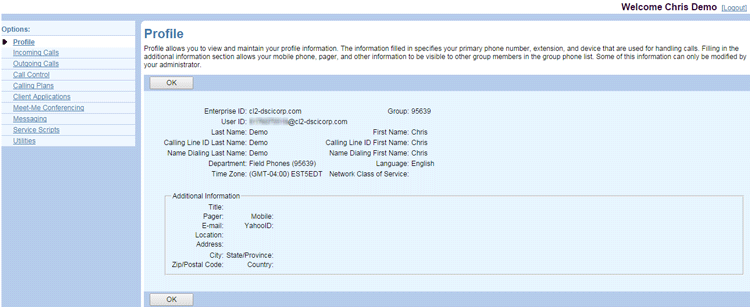
NOTE: If you notice any incorrect information, please contact your group administrator. Some information, such as the Enterprise ID, Group, and User ID, cannot be changed.