Skip Navigation

Delete a Schedule

WARNING: This delete operation cannot be undone.

  1. Log in to the UCx Web Portal.
  2. On the Group – Profile home page, click Schedules. The Schedules page opens and displays your existing schedules.
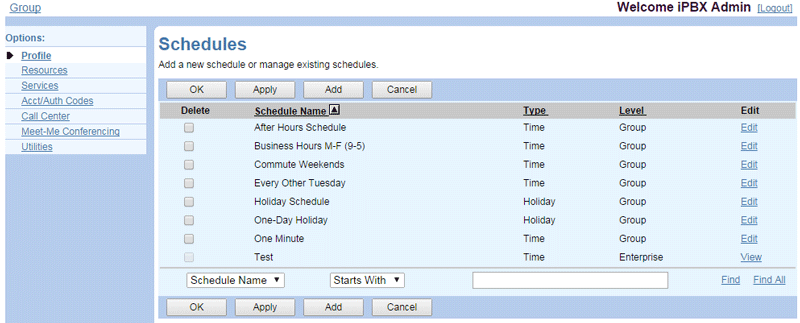
    schedules1 e1495126818607
  3. Check the Delete box in the row of the schedule to delete.
  4. Click OK or Apply to delete the schedule.

Need more help:

We’re ready to answer any of your questions. Visit our Technical Support page for phone numbers and web portal links.

For more inspiration:

Read the TPx Blog for insights that will help keep your business running at full speed.

Need more help:

We’re ready to answer any of your questions. Visit our Technical Support page for phone numbers and web portal links.

Request a Consultation

"*" indicates required fields

* By submitting this form, you are accepting TPx’s privacy policy .