Log in to the admin portal at https://fax.tpx.net/faxadmin, then click Internal Users on the left menu.
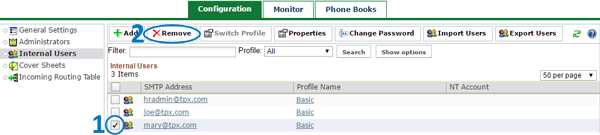
Check the box next to the user you want to delete, then click  Remove.
You will be prompted to confirm the deletion.

Log in to the admin portal at https://fax.tpx.net/faxadmin, then click Internal Users on the left menu.
Check the box next to the user you want to delete, then click Remove.
You will be prompted to confirm the deletion.