
In-Call Service Activation allows users hosted on a Time Division Multiplexing (TDM) system to transparently activate mid-call services (for example, flash services).
- Log in to ucx.telepacific.com.
- Click Call Control on the left-hand menu.
- On the Call Control page, click the In-Call Service Activation link in the Basic column.
- The In-Call Service Activation page opens.
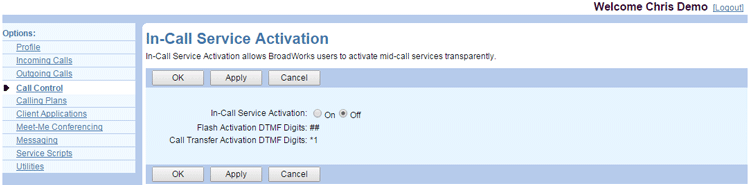
- Select On to enable In-Call Service Activation, or Off to disable the service.
- The DTMF Digits displayed on this page cannot be changed. You use the Flash Activation DTMF Digits to activate in-call services using hook flash. You use the Call Transfer Activation DTMF Digits to activate services on call transfer.
- Click OK or Apply to save changes, or Cancel to exit without saving.