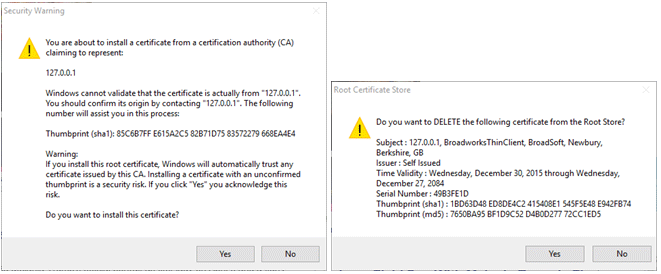
The new version of the UCx Receptionist and Call Center web applications includes a Java applet which must be downloaded to your computer. This will only happen the first time you log in to the site.
NOTE: The applet may be blocked or restricted by your company’s desktop security policies. Contact your system administrator if you require assistance.
When you log in, your browser will automatically download a Java file called BWReceptionist.jnlp or BWCallCenter.jnlp. You’ll then see a warning message like this one at the top of the Receptionist or Call Center window:

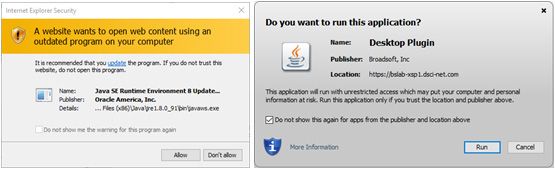
Click on the JNLP file in your browser’s downloads bar to open it. You will see security prompts and warnings like the ones below. Click Allow and/or Run to continue.
The root certificate has also been updated, and may need to be installed at the time.