
Receptionist allows you to monitor the call state of up to 100 selected contacts.
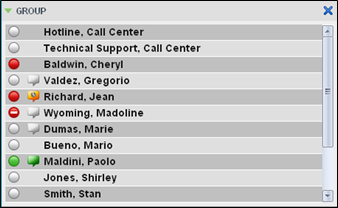
NOTE: If a call is parked against the contact that you are monitoring, information about the parked call also appears.
Static Monitoring
Statically monitored contacts appear in your Favorites directory. This list of monitored contacts must be configured in the UCx Web Portal. Any updates that you make to this list of contacts appear in Receptionist at the next sign-in.
Dynamic Monitoring
With dynamic monitoring, you request to monitor a contact in your Group/Enterprise directory. The set of contacts that you dynamically monitor is stored as part of your account and automatically retrieved and activated on subsequent sign-ins.
To request dynamic monitoring: In the Group/Enterprise directory, click the Status  icon of the contact to monitor. The contact’s state is updated in real time.
Contact States
The state of a contact is represented by an icon located to the left of the contact’s name. The state of a contact that is not monitored is shown as Unknown.
Available
 Ringing
 Away
Away
 Busy (on a call or in a meeting)
 Do Not Disturb
 Call Forwarding Always
 Private