NOTE: As a best practice, always use the Sign Out button to close the application. The functionality outlined on this page will not be available if you use the browser’s Close button.
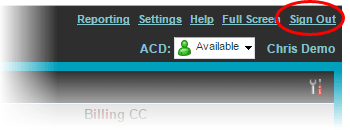
To sign out of the Call Center client, click the Sign Out link in the top right corner of the window.
You may be prompted to save your current workspace. Click Yes if you want to keep your current workspace setup for your next session.
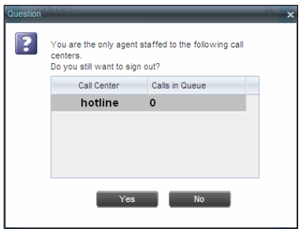
If you are the last agent to sign out of a call center, a message appears with the details of queues in which you are the last agent to sign out. To confirm that you want to sign out, click Yes; to stay signed in, click No.