
Log in to the admin portal at https://fax.tpx.net/faxadmin. Your initial view upon logging in will be of the General Settings Properties menu. Click the SMTP tab.
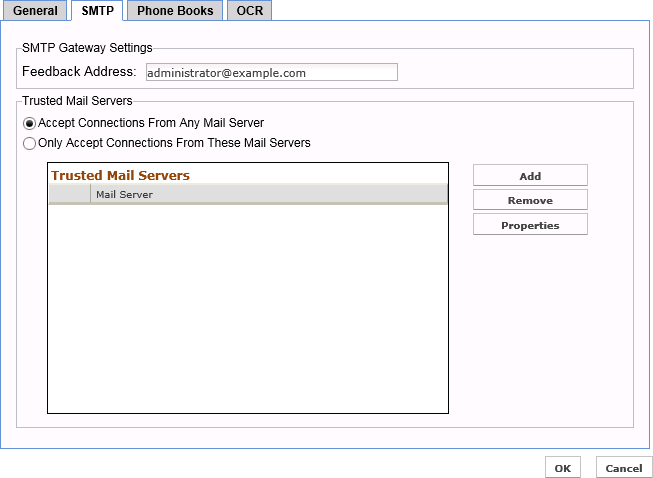
Set the Default Feedback Address for the SMTP Gateway
The feedback address for the SMTP gateway is the address that all received faxes will appear to be sent from. This address will also be used as the originator of any other email messages sent by the fax server. It is recommended that the feedback address be a valid email address on your email system, in case users reply via email.
In SMTP Gateway Settings section, enter the email address of the feedback recipient in the Feedback Address field. Click OK when finished.
NOTE: You can also specify a display name by using the following syntax: “My Display Name”<[email protected]>
Trusted Mail Servers
These settings should not be changed from the default, as it would impact delivery of faxes via email.