Skip Navigation

Test the Incoming Routing Table in Virtual Fax

This process will test your Incoming Routing Table by sending some simulated incoming fax property values through it.

Log in to the Virtual Fax admin portal at https://fax.tpx.net/faxadmin, then click Incoming Routing Table on the left menu.

On the Incoming Routing Table page, click Test Routing Table. The Test Routing page opens.Virtual Fax Routing Table Test Routing
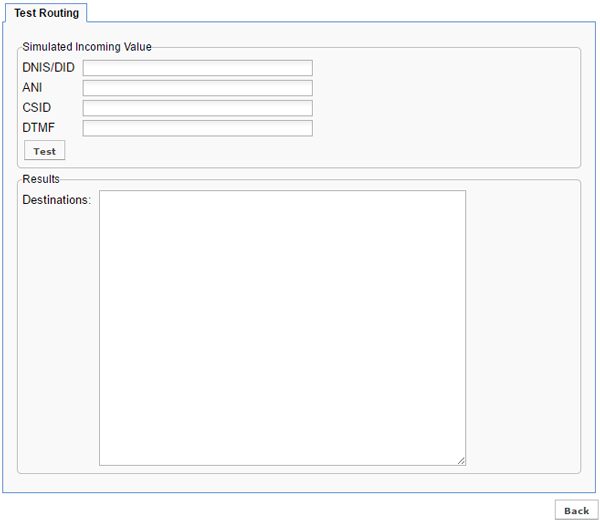
In the Simulated Incoming Value section, enter routing strings to test. Refer to Inbound Fax Properties for more information.

Click Test. Any successfully tested destination(s) will appear in the Results section. Otherwise, a “No match found!” message will appear.
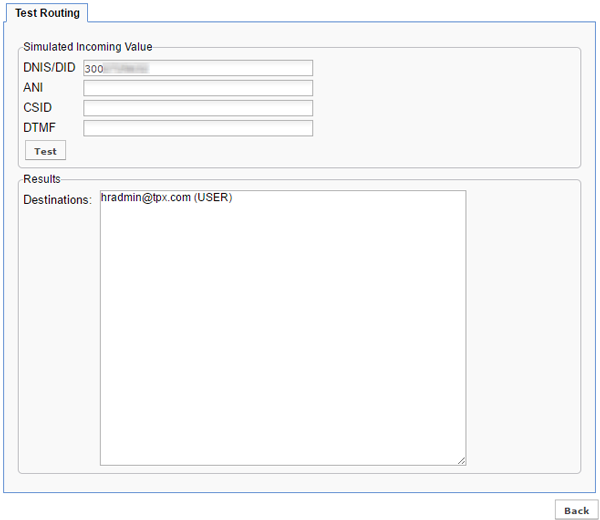
Virtual Fax Routing Table Test Routing Test Completed

Click Back when finished testing.

Need more help:

We’re ready to answer any of your questions. Visit our Technical Support page for phone numbers and web portal links.

For more inspiration:

Read the TPx Blog for insights that will help keep your business running at full speed.

Need more help:

We’re ready to answer any of your questions. Visit our Technical Support page for phone numbers and web portal links.

Request a Consultation

"*" indicates required fields

* By submitting this form, you are accepting TPx’s privacy policy .