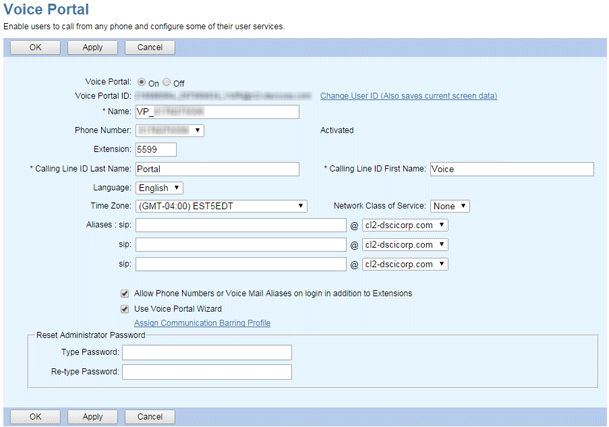
This feature enables the voice portal for your group. Settings are set at the time your service is provisioned and should not be changed without consulting TPx. The exception is that administrators can use this screen to change the voice portal password.
Change the Voice Portal Password
- Log in to ucx.telepacific.com with your administrator credentials.
- Click Services on the left-hand menu, then click Voice Portal.
- In the Reset Administrator Password box, enter and re-enter a new password (4 to 8 digits) as your administrator password.
- To save your changes, click OK or Apply.