
The Call History dialog box, accessed from the Call History  button in the Call Console, allows you to view your past calls. You can place a call to a number from Call History and manage call logs.
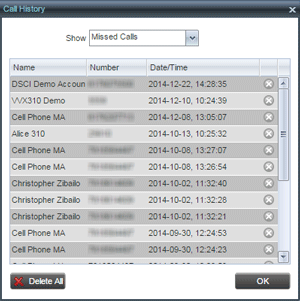
Call logs are grouped in three categories: Missed Calls (displayed by default), Received Calls, and Placed Calls. To show calls in a specific group, select that group from the Show drop-down list.
Each call log displays the name and phone number of the remote party, and the date and time when the call was initiated. In addition, if you have the Enhanced Call Logs service assigned, the following information is displayed as applicable: Duration, Outgoing DNIS, Redirection Number, and Redirection Type.
Place Call from Call History
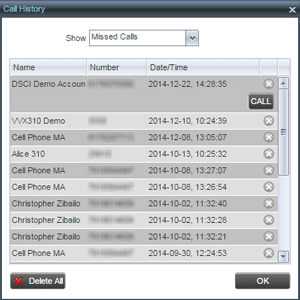
Click on a call log. A Call button appears, allowing you to place a call to the remote party.
Delete Call History
To delete all call logs, click the Delete All button. To delete a selected log, move the mouse over the log and click Delete 