Skip Navigation

Getting Started with Virtual Fax

Log In

You’ll receive an email from TPx with your assigned username and a temporary password.

Visit https://fax.tpx.net/fax/ to log in.
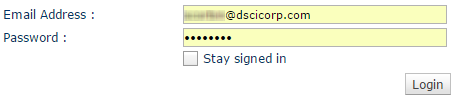
Virtual-Fax---login

The first time you log in, you’ll be prompted to change your password.

Sending Faxes

You have two options for sending outbound faxes:

Receiving Faxes

Received faxes will generate an email sent to the address that was configured during your set up.  You can also view inbound faxes in the web portal:

View Fax History

You can view and search your fax history.

Need more help:

We’re ready to answer any of your questions. Visit our Technical Support page for phone numbers and web portal links.

For more inspiration:

Read the TPx Blog for insights that will help keep your business running at full speed.

Need more help:

We’re ready to answer any of your questions. Visit our Technical Support page for phone numbers and web portal links.

Request a Consultation

"*" indicates required fields

* By submitting this form, you are accepting TPx’s privacy policy .