
This article describes how to view fax history in the Virtual Fax service.
NOTE: Virtual Fax stores all faxes and their records for 30 days. To keep a fax for more than 30 days, download or print the image file for that fax.
View Inbound Fax History
- Log in to the portal at https://fax.tpx.net/fax/.
- Click Inbound History on the left menu.
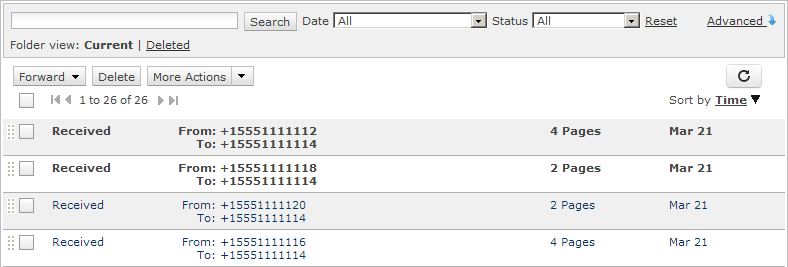
- A list of inbound faxes appears. Click on a record to view the fax.
View Outbound Fax History
- Log in to the portal at https://fax.tpx.net/fax/.
- Click Outbound History on the left menu.
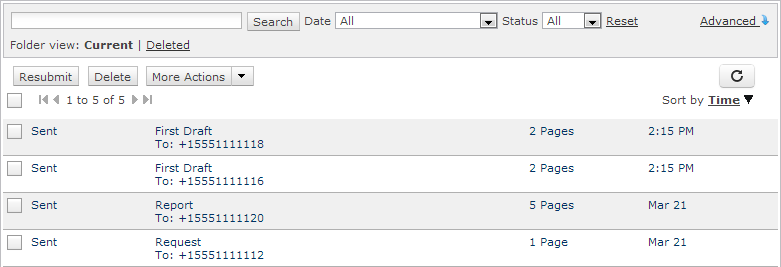
- A list of outbound faxes appears. Click on a record to view the fax.
Options for Searching Inbound and Outbound History
By default, the list is sorted with the most recent at top. Use the Sort By option at the top of the list to sort by Status, Time, To, or From.
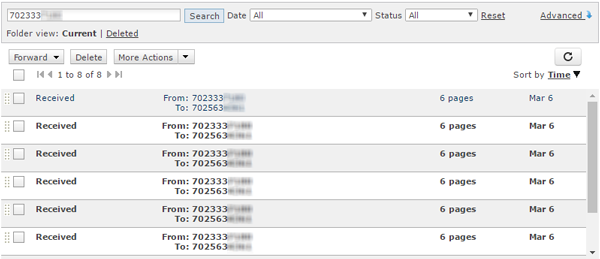
Use the search bar at the top of the list to locate a specific fax. This will not search the images of the faxes themselves, but will search through all other file properties.
Use the Date dropdown to show only faxes within a specified timeframe.
Use the Status dropdown to show All, Received, or Partial/Failed faxes.