Skip Navigation

Integrated IM&P

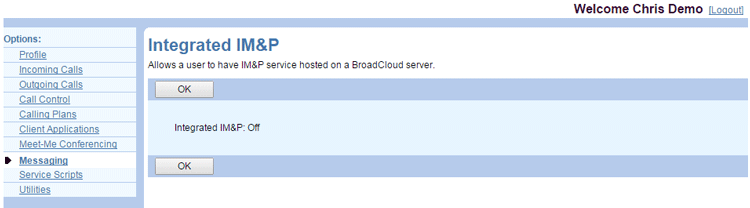
Use the Integrated IM&P page of the UCx Web Portal to see whether your Integrated Instant Messaging and Presence (IM&P) service is enabled. When the service is enabled, you can view your IM&P ID on your Profile page.

  1. Log in to the UCx Web Portal at ucx.telepacific.com.
  2. Click Messaging on the left-hand menu.
  3. On the Messaging page, click the Integrated IM&P link in the Basic column.
  4. The Integrated IM&P page opens.

User-Integrated-IM&P

NOTE: The information shown on this page is read-only. Contact your administrator for further assistance.

Need more help:

We’re ready to answer any of your questions. Visit our Technical Support page for phone numbers and web portal links.

For more inspiration:

Read the TPx Blog for insights that will help keep your business running at full speed.

Need more help:

We’re ready to answer any of your questions. Visit our Technical Support page for phone numbers and web portal links.

Request a Consultation

"*" indicates required fields

* By submitting this form, you are accepting TPx’s privacy policy .