Skip Navigation

Introduction to the Utilities Menu

The Utilities page of the UCx Web Portal displays utility menu items including call logs, feature access codes, and the enterprise directory. You can activate or deactivate services by turning them on or off on the page for that service.

To access the page for a particular service, click on the link for that service.
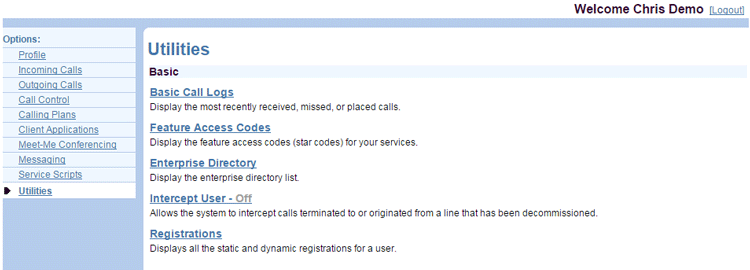
User-Utilities-Page


Need more help:

We’re ready to answer any of your questions. Visit our Technical Support page for phone numbers and web portal links.

For more inspiration:

Read the TPx Blog for insights that will help keep your business running at full speed.

Need more help:

We’re ready to answer any of your questions. Visit our Technical Support page for phone numbers and web portal links.

Request a Consultation

"*" indicates required fields

* By submitting this form, you are accepting TPx’s privacy policy .