Skip Navigation

Manage Cover Sheets for Virtual Fax

Virtual Fax comes with a set of fax cover sheets that you can make available to Virtual Fax users via their faxing profile.

To view your cover sheets, log in to the admin portal at https://fax.tpx.net/faxadmin, then click Cover Sheets on the left menu.
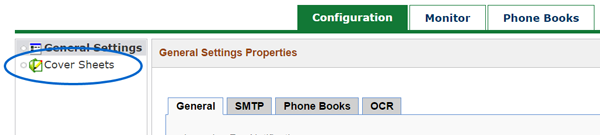
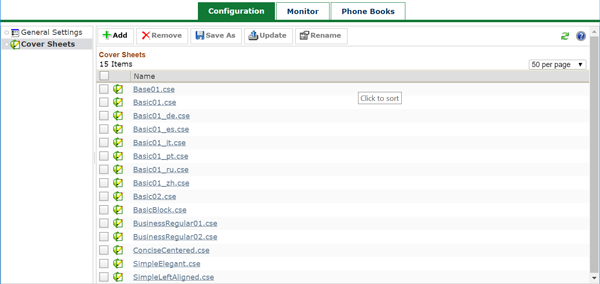
virtual fax admin locate cover sheets

virtual fax admin cover sheets

Rename a Cover Sheet

To rename a cover sheet as it is displayed in the various Virtual Fax interfaces (both administration and end-user):

  1. Navigate to the Cover Sheets page.
  2. Check the box next to the cover sheet you want to rename.
  3. Click Rename.
  4. Enter the new name for the cover sheet, then click OK.

Need more help:

We’re ready to answer any of your questions. Visit our Technical Support page for phone numbers and web portal links.

For more inspiration:

Read the TPx Blog for insights that will help keep your business running at full speed.

Need more help:

We’re ready to answer any of your questions. Visit our Technical Support page for phone numbers and web portal links.

Request a Consultation

"*" indicates required fields

* By submitting this form, you are accepting TPx’s privacy policy .