
Use the Billing menu in Dash to get detailed billing information about your TPx account. You’ll either see the information directly in Dash, or get a link to view this information in our OneCentral Portal.
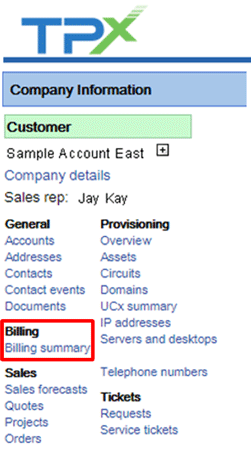
To access this menu, click Billing Summary in the main menu on the left side of the screen.
If your billing information is in Dash, you’ll see the following tabs:
- Invoices: A high-level summary, and a link to a PDF version of your invoice.
- Invoice Summary: A deeper dive into monthly recurring, usage and nonrecurring charges.
- Recent Activity: A summary of your payment history.
- Services and Features: A breakdown of all monthly recurring charges by service or feature.
- Aging: An invoice aging summary.
- Reports: Include frequently called numbers, frequently called locations, most expensive calls, longest duration calls, and time of day.

If your billing information is in OneCentral, you’ll see a link to this account management portal. You can use OneCentral to view and pay your bills online.
