
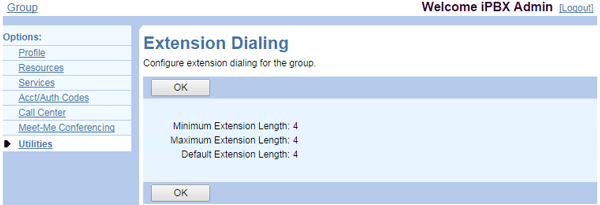
The Extension Dialing page of the UCx Web Portal shows you the extension length configured for your group.
View Extension Length Settings
- Log in to ucx.telepacific.com with your admin credentials.
- Click Utilities on the left menu, then click Extension Dialing in the Advanced column.
- The Extension Dialing page opens and displays your current configuration.
Change Extension Length Settings
If you want to make any changes to the length of the extensions, please contact TPx Customer Care at 888-322-6553.
The extension length cannot be decreased while any user account has an extension assigned, regardless of the length of that extension.
If you increase the extension length, zeros will be added to the beginning of any extensions currently assigned in your group. For example, if you change the extension length from 3 to 5, the user with extension 111 will now be assigned extension 00111.